


Official Millionaire Game
4.628.71K Reviews
App Specs
- Version
- 68.0.0
- Updated On
- License
- Free
- Downloads
- 10,000,000+
- Developer
- Uken Games
- Categories
- Trivia
- Platform
- Android, iOS
Screenshots





 Analysis by AppCompare
I’m wary of trivia games that promise a living-room game-show thrill but turn into little more than a stream of questions. The appeal of Official Millionaire Game is the familiar climb toward a top prize: it gives a casual quiz session a clear sense of momentum, while still leaving room for that uncomfortable pause when I’m not sure of an answer. It’s best approached as entertainment and a test of general knowledge, not a way to win real money.
A quiz that can work around a shared screen
In a household, the game can suit the sort of spare moment when one person starts a round and others nearby call out their guesses. That works particularly well for questions with several plausible answers: everyone can make a case, and the player has to decide whether to trust their own memory or the confident voice from the sofa. It’s an easy way to turn a phone into a conversation starter without needing to organize a full board-game evening.
There is a trade-off, though. The person holding the device is still the one making the choices, so a group can’t assume it is playing as a formally shared team. If you want a game where everyone gets equal turns or where the rules are designed around a group gathered together, a dedicated party quiz may be a better fit. Here, I’d treat other people’s suggestions as friendly help, not as a built-in household mode.
Keep play and purchases in the right lane
The game is free to download, but optional in-app purchases range from $0.99 to $149.99 per item. That is worth knowing before handing a device to someone else, especially if more than one person uses the same phone or tablet. I’d agree on a simple boundary first: casual play is fine, but any purchase should be discussed with the person responsible for the account. The game’s virtual prize is part of the show-style presentation, not cash that can be taken home.
That boundary matters because a shared device does not automatically mean shared progress, preferences, or spending decisions. I wouldn’t assume that different household members have separate profiles or that one person’s choices are isolated from another’s. If people take turns, it is sensible to make clear who is playing and to check the account’s purchase protections rather than relying on the game itself to manage household rules.
Taking turns without turning it into a contest
A low-friction way to share the game is to let one person control the phone while everyone answers aloud, then rotate who gets the final say on the next round. That keeps the quiz lively and gives quieter players a chance to contribute. It also avoids treating a leaderboard or competitive mode as the only measure of fun; for a mixed group, the best moment may be debating a tricky answer rather than comparing scores afterward.
For a short everyday session, I’d use it while waiting for food or during a quiet stretch at home, with an agreed stopping point so the game doesn’t take over the evening. Someone who enjoys solo trivia can play at their own pace, while a couple of friends can make a round more social simply by discussing each question. If a group wants simultaneous participation, though, this phone-centered format may feel uneven.
Worth Reading Before You Choose

EA SPORTS FC Mobile 26 Is a Bigger Football Game, but It Takes Time

Flipboard Shows What News Apps Must Do Beyond the Feed

Switching to Android Auto Means Rethinking Your Driving Routine

Google Calendar Makes a Crowded Week Easier to Manage

Ludo King Makes the Most of the Minutes Between Plans

Baby Panda World Brings Quick Play to Modern Phones, but Its Game Library Feels Busy
Age, trust, and the kind of quiz it is
The game is rated for Everyone, so its stated age context is broad. That does not mean every child will enjoy the same questions or find the format equally approachable: general-knowledge topics can favor people with different interests and experience. I’d be comfortable treating it as a shared quiz, but I’d still let younger players ask for help without making a wrong answer feel like a test of intelligence.
Uken Games is the developer, and the game has an average rating of 4.5 from around 248,000 ratings, with over 10 million installs. Those figures suggest that it has reached a large audience, but they don’t tell me whether its question mix will suit a particular household. A better test is whether the people playing enjoy the escalating challenge and can shrug off the occasional unfamiliar topic.
What the Millionaire format feels like in practice
If you’ve ever fantasized about sitting in the hot seat across from a host, facing rapid-fire questions that could make you a millionaire, then the Official Millionaire Game is your digital dream come true. This app brings the thrill and pressure of the iconic TV quiz show right to your fingertips. So, I had to dive in and see if it lived up to the hype. Spoiler alert: it does, and it doesn’t. Let’s break it down.
First Impressions
Firing up the Official Millionaire Game for the first time, I was hit with a wave of nostalgia. The interface is slick and reminiscent of the TV show, complete with dramatic music and a shiny set design. It’s like I’ve been transported into the show itself, minus the blinding studio lights and Chris Harrison staring me down.
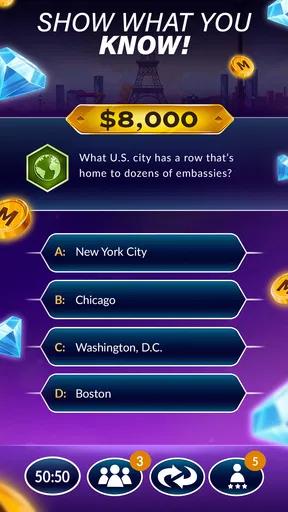
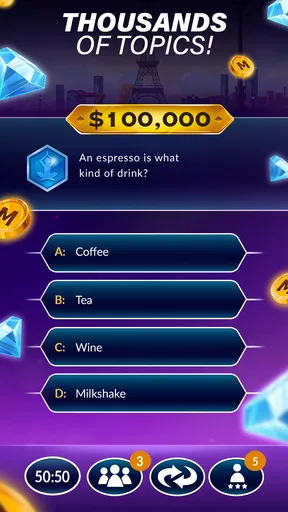
The app gets you started quickly. After a brief tutorial, you're thrown into the action. The format is pretty much what you’d expect: multiple-choice questions that ramp up in difficulty as you move closer to the million-dollar question. The stakes feel real, even if the money isn’t.
Gameplay Experience
The gameplay is straightforward but surprisingly addictive. Each question you answer correctly moves you one step closer to that virtual million, and each wrong answer sends you back to square one. The questions cover a broad range of topics, from pop culture to history, so you’ll need to keep your wits and a decent general knowledge about you.
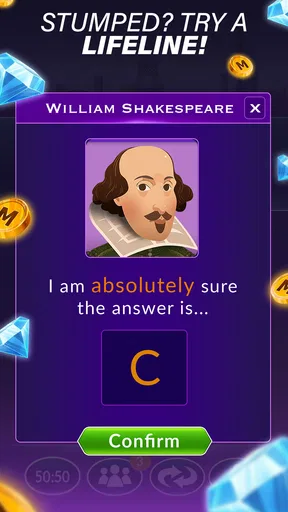
One neat aspect is the lifelines feature. You can use the classic "50:50," "Ask the Audience," or "Phone a Friend" options to help you out of tight spots. These lifelines can make or break your game, adding a layer of strategy that keeps things interesting.
Using lifelines thoughtfully
I’d resist spending a lifeline as soon as a question feels difficult. First, read every answer option carefully and see whether the wording eliminates a choice or points toward a topic you know. A 50:50 is most useful when I can narrow the field but can’t confidently choose between the remaining answers; using help before doing that can waste its value. The audience and friend options are better treated as a nudge than a guarantee, so I still make the final call myself.
The rising difficulty also changes how I approach a run. Early questions are a chance to settle into the rhythm, while later ones invite a more deliberate pause. If I’m playing with someone else, we can each state a preferred answer before using help, which makes the lifeline decision more interesting without pretending that a guess is certain. This is a small but useful way to keep the game social even when only one person is tapping.
Features and Functions
Beyond the core game, the app offers some interesting modes. There’s a daily challenge to test your trivia mettle, and you can compete against friends or random players worldwide in the multiplayer mode. It’s like a battle of the brains where you can see who’s the quickest on the buzzer.
The app also includes leaderboards and achievements, so if you’re the competitive type, there’s plenty to aim for. And for those who love customization, you can tweak your avatar and personalize your profile. It’s a nice touch that adds a bit of personality to your gaming experience.
Choosing a mode for the moment
The different activities suit different moods. A daily challenge gives a solo player a clear, contained reason to open the game, while multiplayer is the more natural choice when I want a direct comparison with another player. Leaderboards and achievements can add longer-term goals, but I wouldn’t use them as a substitute for enjoying the questions themselves. If tracking rank makes a casual pastime feel like homework, sticking to the main quiz is the better call.
Compared with a basic trivia app that simply presents questions and answers, this one leans on the recognizable climb, lifelines, and show presentation to make each decision feel consequential. A broad trivia collection may be preferable if I want a wider range of quiz formats or a more relaxed pace without the pressure of progressing toward a prize. The Millionaire structure is its strength when I want suspense; it can feel repetitive if I’m mainly looking for variety in how questions are played.
Graphics and Sound
The graphics are polished, with vibrant colors and crisp visuals that pop on whatever device you’re using. It’s clear the developers put a lot of effort into making the game not just fun to play, but also pleasing to look at. The sound effects and music are spot-on, really capturing that TV game show vibe. You might find yourself humming the theme tune long after you’ve stopped playing—consider yourself warned.
When the presentation helps—and when it doesn’t
The show-like sound and visuals help sell the suspense, especially when I’m playing with someone watching and we both wait on the answer. They are part of the appeal rather than a reason to expect a quiet, stripped-down quiz. If I’m playing somewhere that calls for less noise, I’d lower the device volume or choose another moment; the atmosphere is enjoyable, but it isn’t essential to answering the questions.
That distinction also helps set expectations for repeat play. The presentation can make a familiar format feel lively, but the lasting value depends on whether I enjoy the questions and the risk of committing to an answer. Anyone who wants a plain, fast quiz with minimal showmanship may prefer a simpler alternative. I’d choose this one when the game-show tension is the point, not when I only want to fill a few seconds with silent tapping.
Monetization and Ads
Now, let’s talk about the elephant in the room: ads. They’re frequent, and while they don’t completely ruin the experience, they can be a bit intrusive. However, there are in-app purchases available that let you remove ads entirely, along with options to buy additional lifelines or other bonuses. If you’re committed to the game, it might be worth splurging a little.
Deciding whether it fits your routine
Because interruptions can affect the rhythm of a suspense-based quiz, I’d try the free version before deciding whether spending makes sense. The purchase range is wide, so I would check the item and its cost carefully rather than assuming every purchase is a small add-on. Buying something is not necessary to find out whether the basic format suits me, and someone who dislikes ads may decide the interruptions outweigh the show atmosphere.
On Android, the game’s current version is 64.0.0 and its minimum OS requirement is 7.0. It was released on September 24, 2018, and remains a free trivia game from Uken Games. Those details make it easy to judge basic compatibility and the download commitment; they don’t change the practical question of whether I enjoy its pacing, ad interruptions, and style of challenge.
Conclusion
In a nutshell, the Official Millionaire Game is a fun, engaging way to test your trivia skills and indulge in your game show fantasies. It’s got the look and feel of the real deal, with enough features to keep things fresh and exciting. Whether you’re a trivia buff or just looking for a fun distraction, this app can deliver in spades.
Sure, the ads can be a bit of a buzzkill, but they’re a small price to pay for the enjoyment you get out of playing. So, if you’re ready to put your knowledge to the test, download the app and see if you’ve got what it takes to become a virtual millionaire. Who knows? You might surprise yourself with how much you know—or don’t know!
My household verdict
I’d recommend it to someone who likes familiar quiz-show tension, enjoys general-knowledge questions, and is happy to share a phone informally with people nearby. It can make an ordinary wait or a quiet evening more engaging, and its lifelines give a group something to discuss beyond simply shouting guesses. The age rating is broad, but the adult or device owner should still set clear expectations around purchases and turns.
I’d skip it if I wanted guaranteed ad-free play without paying, a purpose-built team game, or trivia that avoids a competitive climb. The app is at its best when the group treats a wrong answer as part of the fun and the virtual prize as just that: virtual. If that sounds like your kind of quiz night in miniature, it’s an easy game to try; if not, a simpler or more explicitly social trivia option will likely suit you better.
Pros
- Engaging gameplay with authentic show feel.
- Variety of lifelines for strategic play.
- Regular updates with new questions.
- Offline mode available for on-the-go play.
- Intuitive interface
- easy for all ages.
Cons
- Frequent ads may disrupt gameplay.
- Limited free lifelines without purchases.
- Some questions repeat frequently.
- In-app purchases can be pricey.
- No multiplayer mode available.
FAQs for Official Millionaire Game
What is the Official Millionaire Game about?
The Official Millionaire Game is an engaging quiz app based on the popular TV show, "Who Wants to Be a Millionaire?" Players answer multiple-choice questions across various categories. As they progress, the questions become more challenging, offering a thrilling test of knowledge and quick thinking.
Is the Official Millionaire Game free to play?
The Official Millionaire Game is free to download and play. However, it may offer in-app purchases for additional features, such as extra lifelines or ad-free experiences. These purchases can enhance gameplay but are entirely optional for players wishing to enjoy the base game.
What platforms is the Official Millionaire Game available on?
The Official Millionaire Game is available on both Android and iOS platforms. Users can download it from the Google Play Store for Android devices or the Apple App Store for iOS devices, ensuring a wide reach for quiz enthusiasts on various mobile devices.
Are there any multiplayer features in the Official Millionaire Game?
Yes, the Official Millionaire Game includes multiplayer features. Players can compete against friends or other users worldwide, adding a competitive edge to the experience. This feature enhances engagement by allowing users to challenge others and compare their trivia skills.
How frequently is new content added to the Official Millionaire Game?
The developers of the Official Millionaire Game regularly update the app with new questions and features. These updates ensure that content remains fresh and challenging, encouraging players to return frequently and enjoy a dynamic quiz experience that reflects current events and popular culture.


